Find work you want.Make a clearer case for yourself.
You find an interesting role. Then come the questions: Does my experience fit? What should I emphasize? Which resume did I send last time?
Job Search brings those pieces together. Save roles, work through the requirements, tailor your application using what you've actually done, and keep track of what happens next.
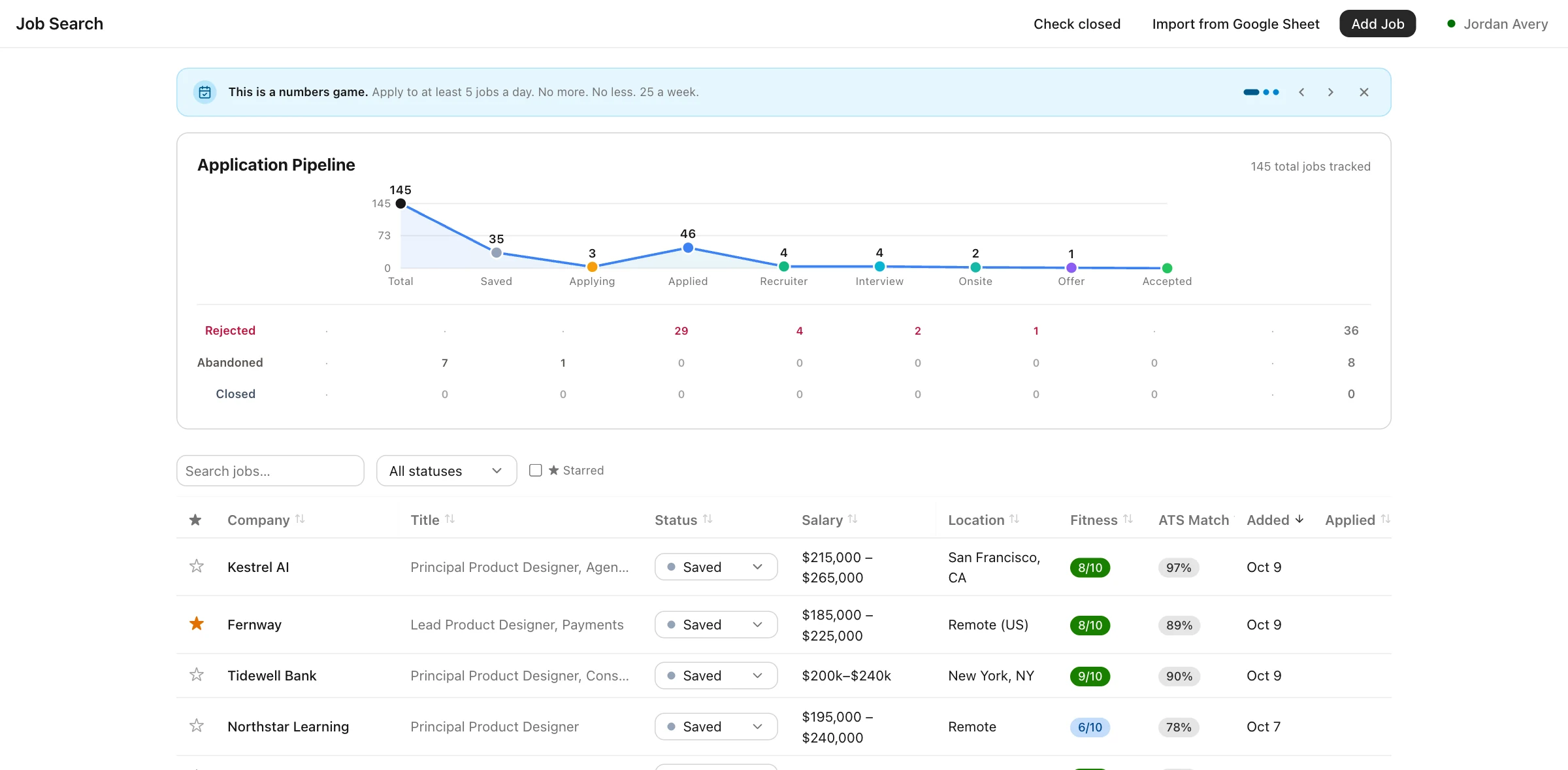
From an interesting role to an application you feel ready to send
Keep the research, writing, and follow-up together, so each application is easier to pick up where you left off.
Clip a posting with the Chrome extension, paste a link, or bring in the jobs you've already collected in a spreadsheet.
Compare the requirements with your experience. See your strengths, the connections you may need to explain, and the gaps to consider before applying.
Tailor your resume and draft a cover letter around the role. Review the changes and decide what sounds right to you.
Save what you sent, record conversations, and follow each application through to its outcome.
Found an interesting role? Keep it in one click.
When you're browsing a job board or a company careers page, save the posting from Chrome's side panel. The role and its description stay together, ready for you to review when you have time.
- ✓Keep the details together. Capture the company, title, location, remote policy, salary, and full description. If a page is difficult to read, try extracting it again with AI.
- ✓See what you've already saved. Duplicate postings are flagged with their current status, and your recent saves are easy to find.
- ✓Bring your existing search. Import jobs from a Google Sheet or CSV file.
Works in desktop Chrome. Open this page on your computer to install it.
Download the Chrome extension →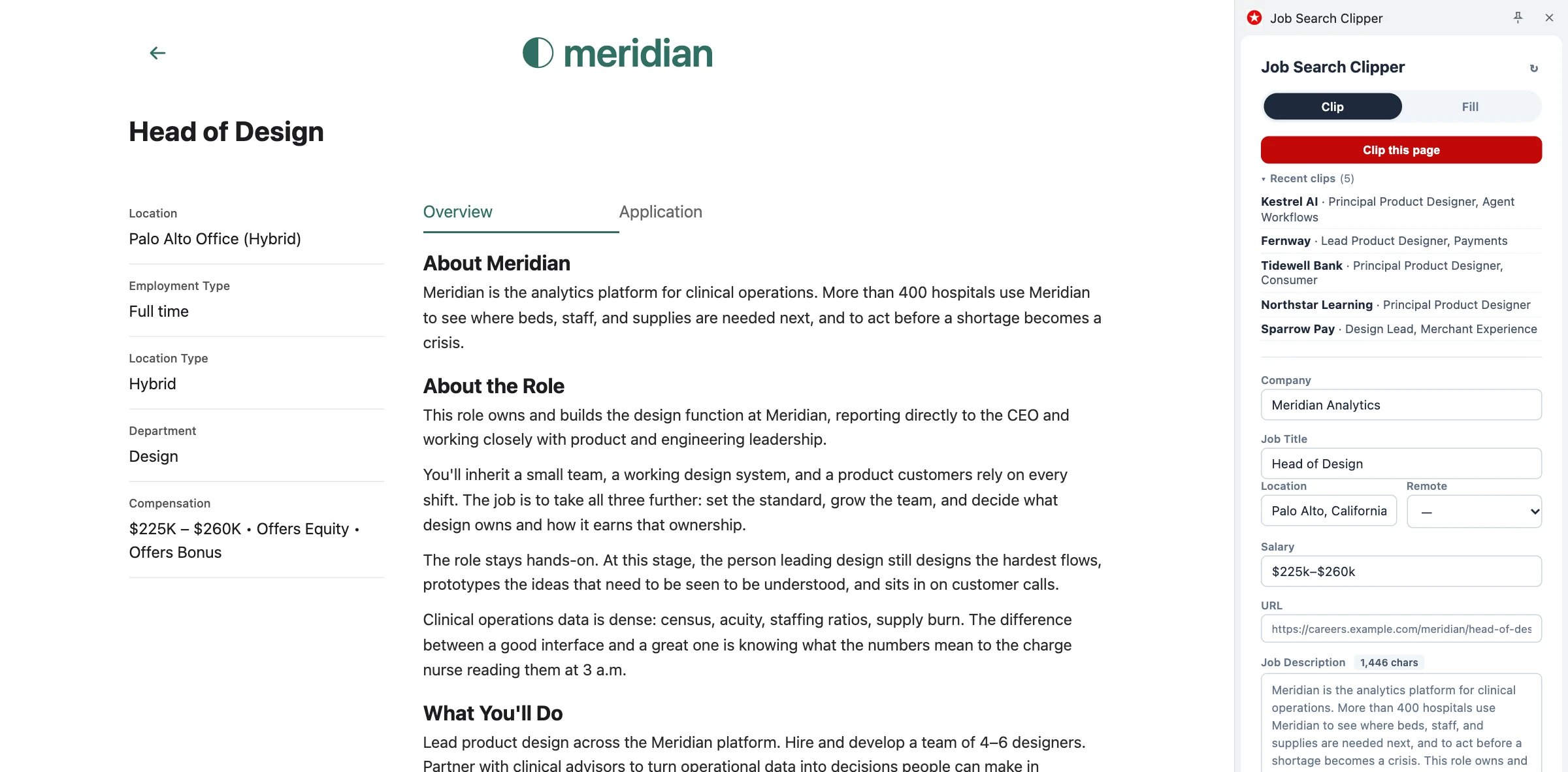
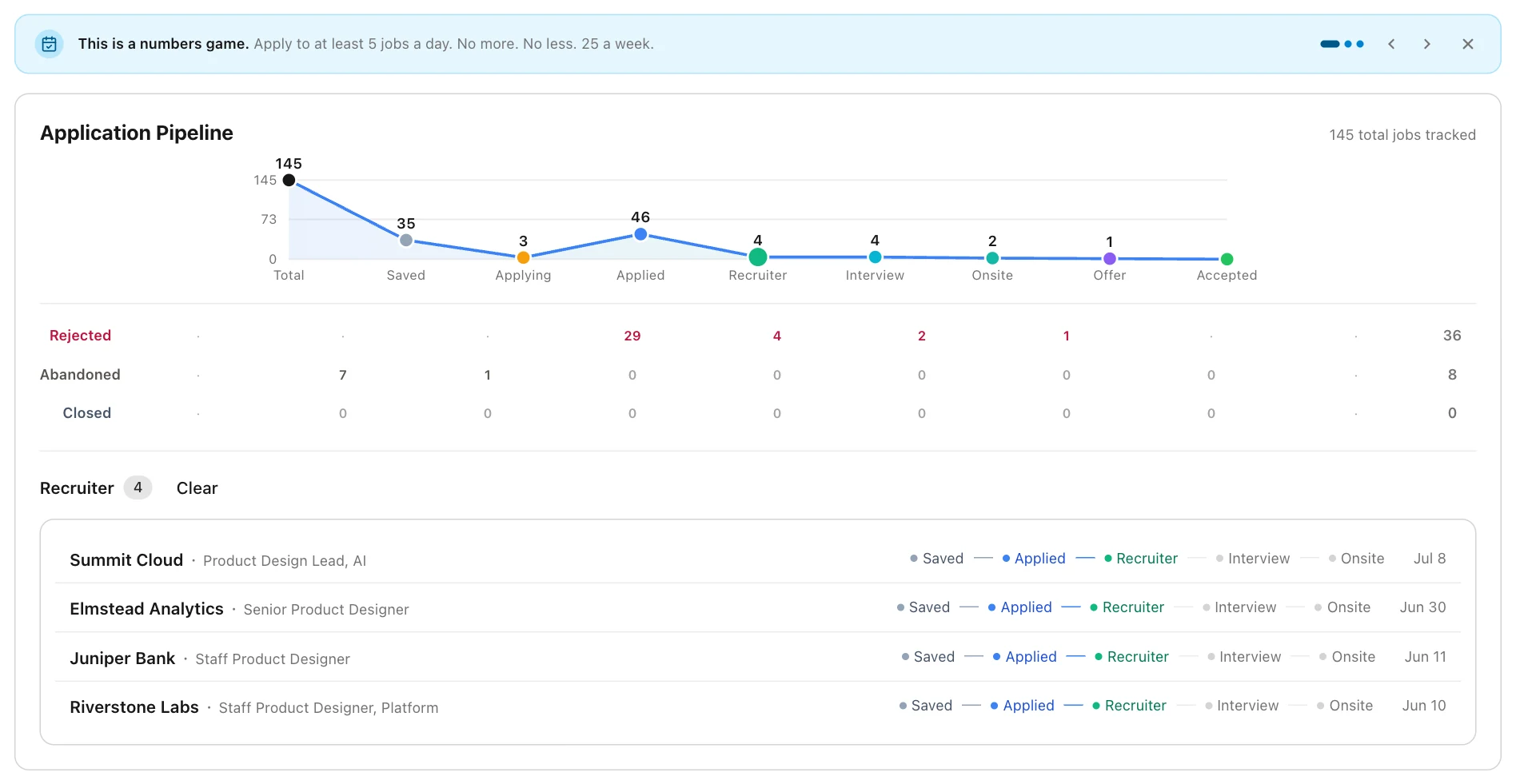
See what's moving, what's waiting, and where to follow up.
A job search can feel hard to read when applications and conversations are scattered. See them together, from the first saved posting to an offer, and get a clearer view of how your search is going.
- ✓Follow every stage. Track roles through Saved, Applying, Applied, Recruiter Screen, Interview, Onsite, and Offer.
- ✓Look closer when you need to. Open any stage to see the roles there and how each one arrived.
- ✓Understand how applications ended. Keep rejections, closed postings, and roles you chose to leave behind distinct.
- ✓Find a pace you can sustain. Get prompts to keep your search moving and reconsider your focus as interviews begin to fill your calendar.
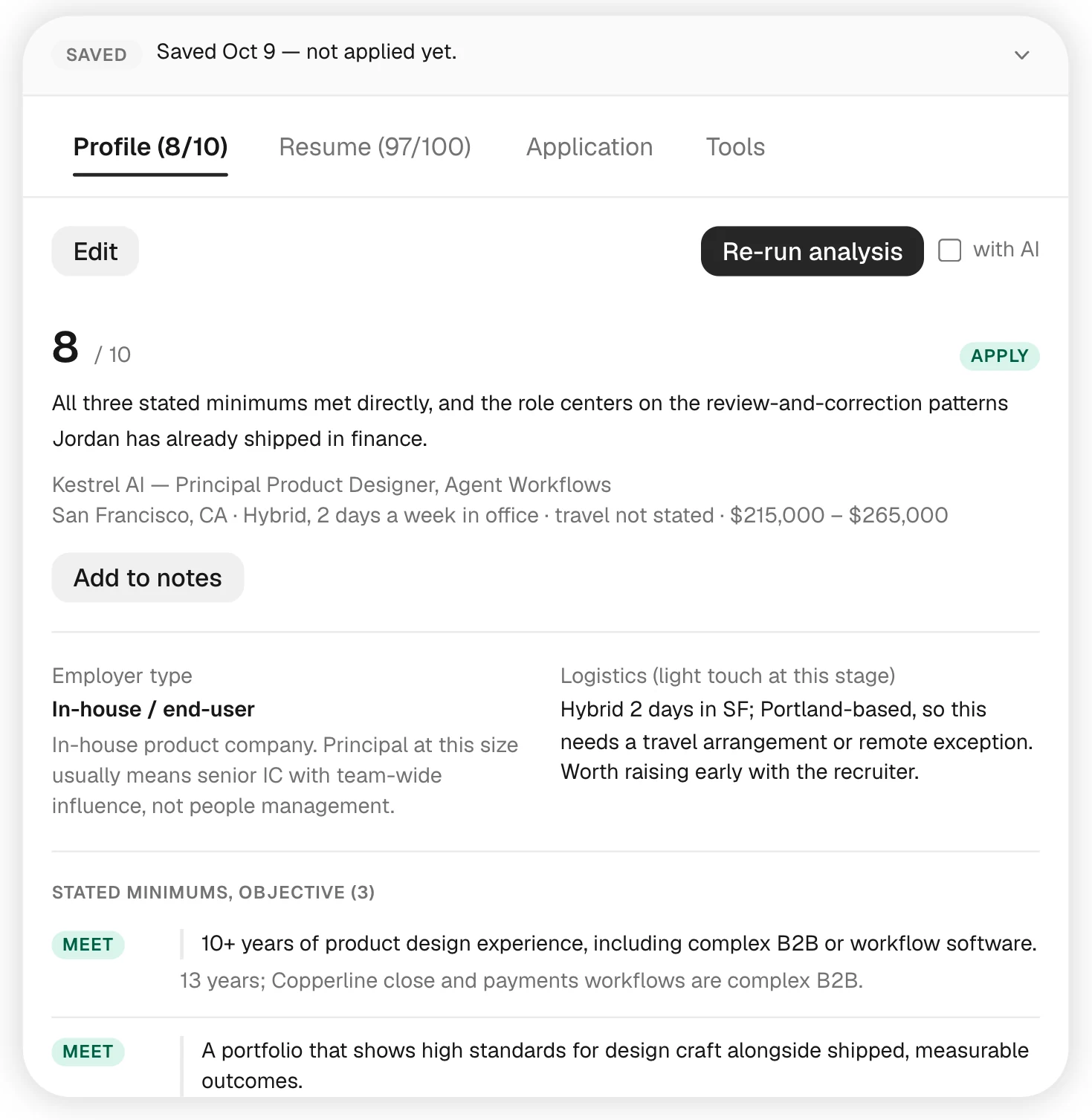
Understand the fit before you spend an evening on the application.
Some roles look promising until you read the requirements closely. Others are a better fit than their title suggests. Compare each posting with your profile, requirement by requirement, with a 1–10 score to help you get your bearings.
- ✓See the reasoning. Review the minimum and preferred qualifications you meet, the ones your experience is adjacent to, and the ones you don't currently meet. Personality and working-style expectations are shown separately and don't affect the score.
- ✓Prepare to discuss the gaps. Get suggested ways to explain relevant experience and acknowledge what you still need to learn before a recruiter conversation.
- ✓Consider the trade-offs. Explore possible outcomes and what pursuing the role could mean for you.
- ✓Choose how to assess it. Start with the built-in rules, or add an AI review for a more detailed interpretation.
The score is a starting point for your judgment. Your interest in the work, transferable experience, and conversations with the team still matter.
Tell your story once. Build each application from there.
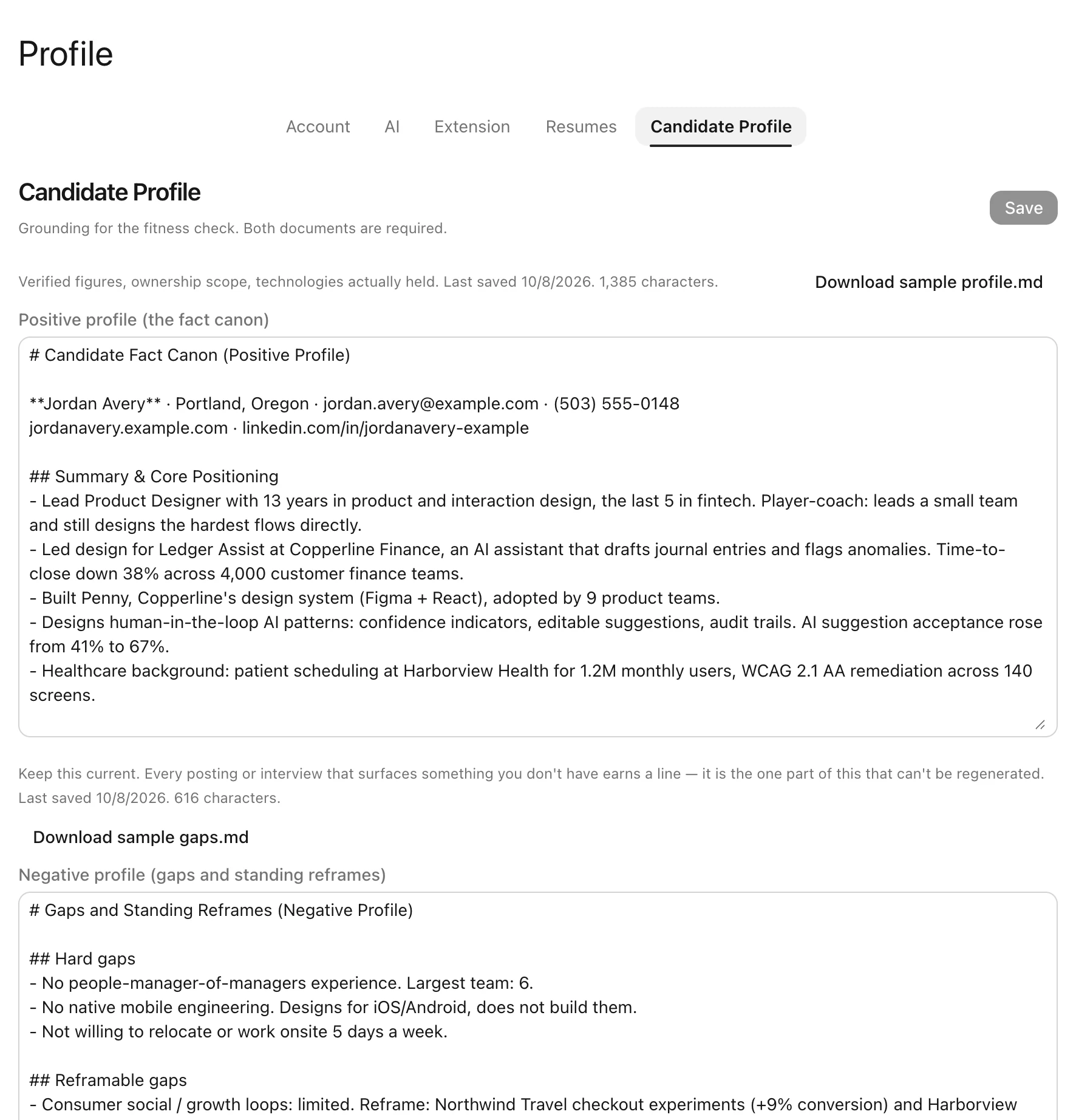
Keep a profile of your experience, accomplishments, and skills, along with the gaps or constraints you want to address honestly. Fit reviews, resume suggestions, and cover letters use that profile as their starting point.
- ✓Keep the facts close. Record the results, responsibilities, and tools you can speak to from experience.
- ✓Be clear about the gaps. Note tools you haven't used, requirements you don't meet, or working arrangements that need discussion. Add context you'd like future drafts to consider.
- ✓Get started with examples. Download the profile and gaps templates, then fill them in with your own experience.
Review every draft before sending it, so each claim reflects what you've actually done.
Check whether your resume makes the connection clear.
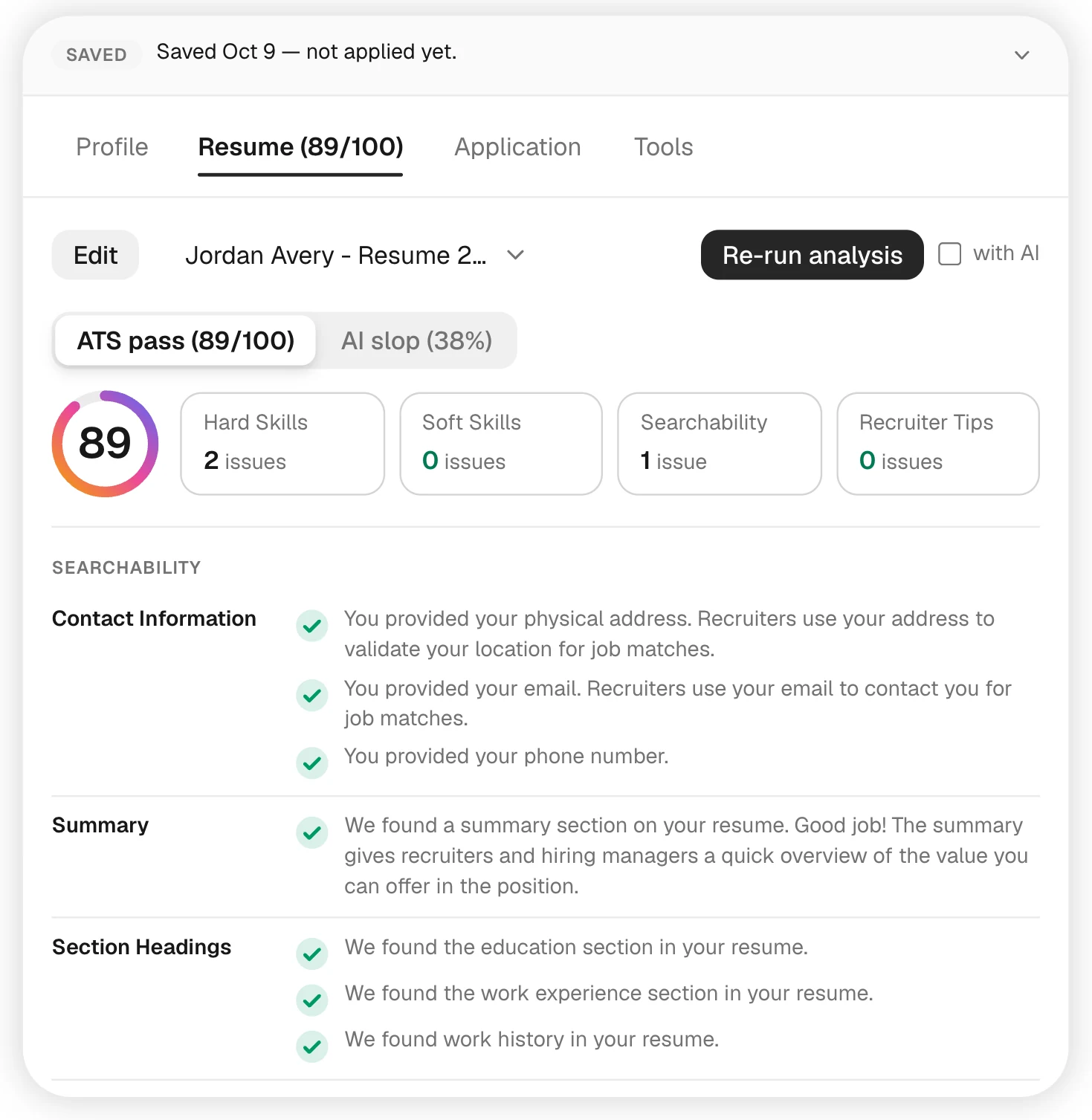
You may have the experience a role needs without describing it in the language the posting uses. Compare your resume with the job description to find relevant skills you haven't made clear and details that could be easier to read or search.
- ✓Compare the language. See the skills your resume already mentions and the relevant terms you may want to include, highlighted directly in the posting.
- ✓Check the basics. Review your job titles, summary, contact information, section headings, and date formatting.
- ✓Make your evidence easier to find. Get feedback on results, tone, length, and professional links, with the relevant passages shown alongside it.
- ✓Keep it readable. Spot repeated keywords and language that feels forced.
Use the match score to guide your edits. It reflects this tool's comparison with the posting; it doesn't predict an employer's screening decision.
Send something you'd feel comfortable saying out loud.
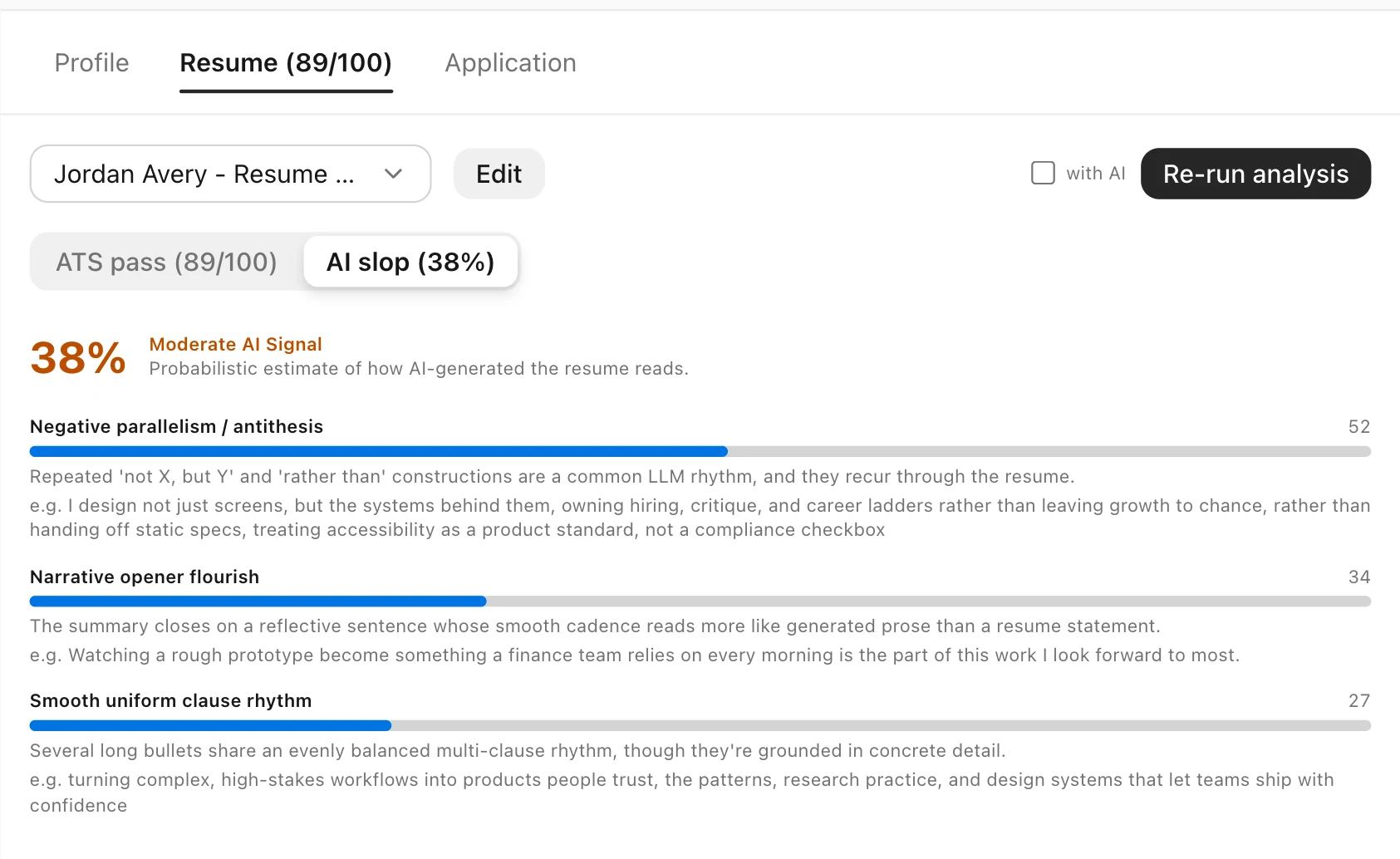
AI can help you get a draft started. It can also make your experience sound like everyone else's. Review stock phrases, repetitive sentence patterns, and wording that could be more direct or specific.
- ✓Find generic wording. See passages that resemble common AI writing patterns and decide whether they need another pass.
- ✓Notice repeated formulas. Catch recurring contrast structures that make the writing feel templated.
- ✓Read for rhythm. Review elaborate openings and sentences that all follow the same cadence, with the passages highlighted for you.
The writing score flags patterns to review. It doesn't establish who wrote the text or how a recruiter will respond.
Tailor your resume without starting over.
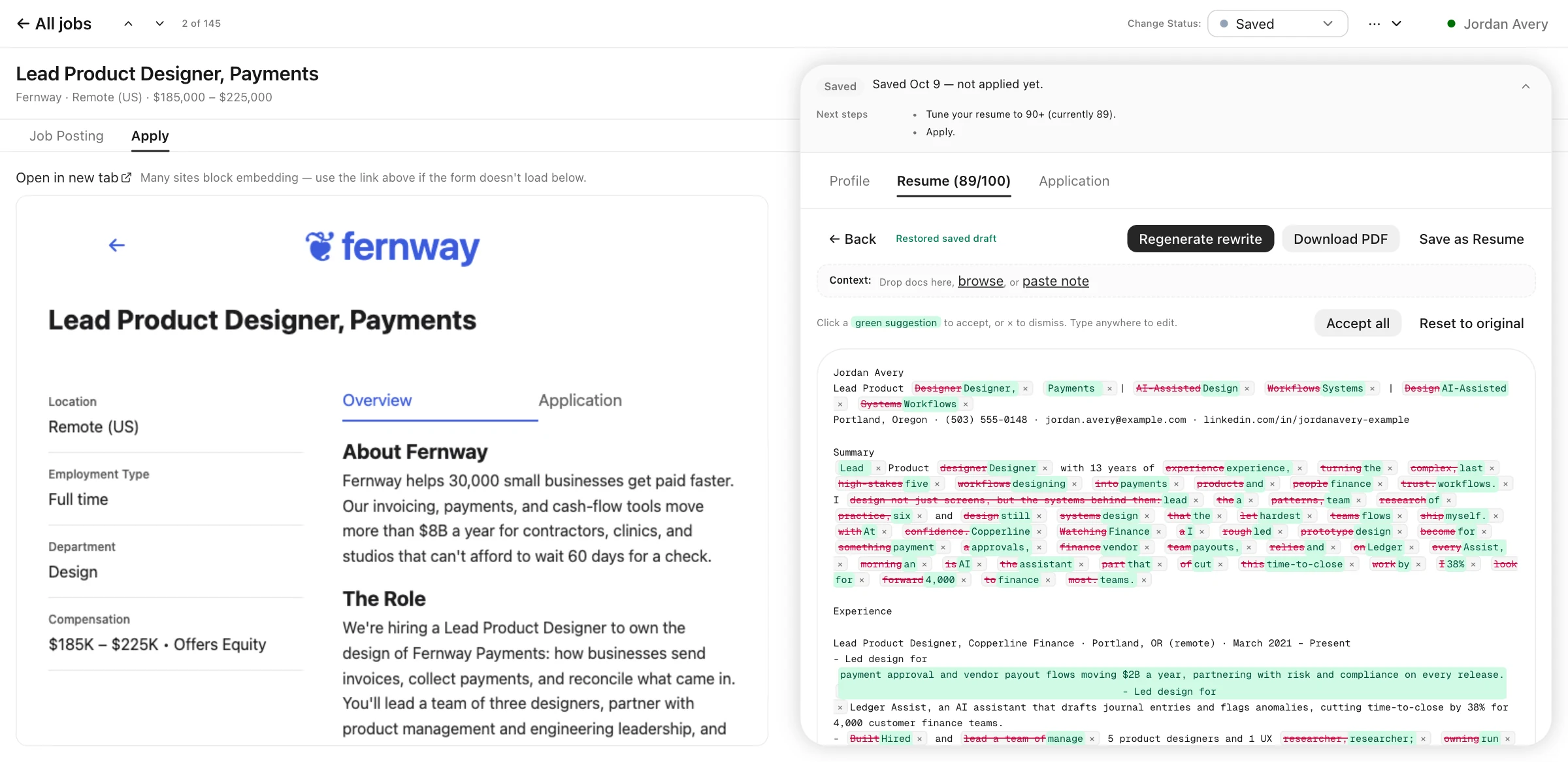
Use the posting, your profile, and any supporting notes to draft a version for this role. See exactly which words changed, then keep the edits that help you tell your story clearly.
- ✓Review each change. Accept or dismiss suggestions individually, accept them together, or return to the original.
- ✓Add useful context. Include documents or notes with the details you want the rewrite to draw from.
- ✓Work beside the application. Open the employer's form alongside your tailored resume to keep both in view.
- ✓Save a version you're ready to send. Download a PDF or keep the rewrite as another resume in your account.
Explain why you're interested, and remember what you sent.
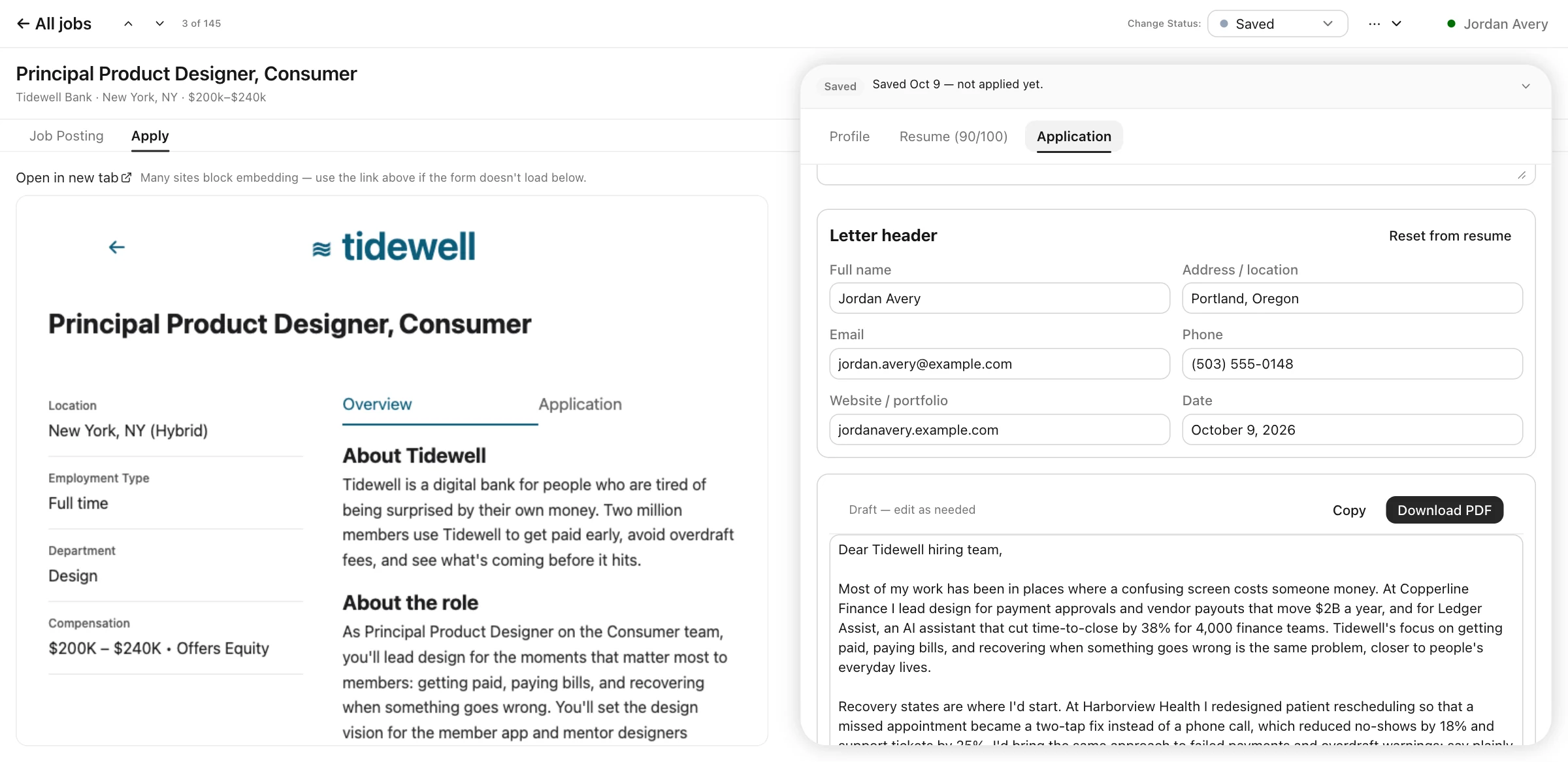
Start a cover letter with the role, your experience, and a few words about what draws you to the opportunity. Edit it beside the application, then save the final package with the job so you can return to it before a conversation.
- ✓Give the draft a reason to exist. Add what interests you about the role so the letter can connect that interest to your experience.
- ✓Finish it in one place. Bring in contact details from your resume, edit the letter, and copy it or download a PDF.
- ✓Keep the conversation together. Save your submitted materials, recruiter replies, and interview notes with the role.
Your LinkedIn URL hasn't changed since the last application.
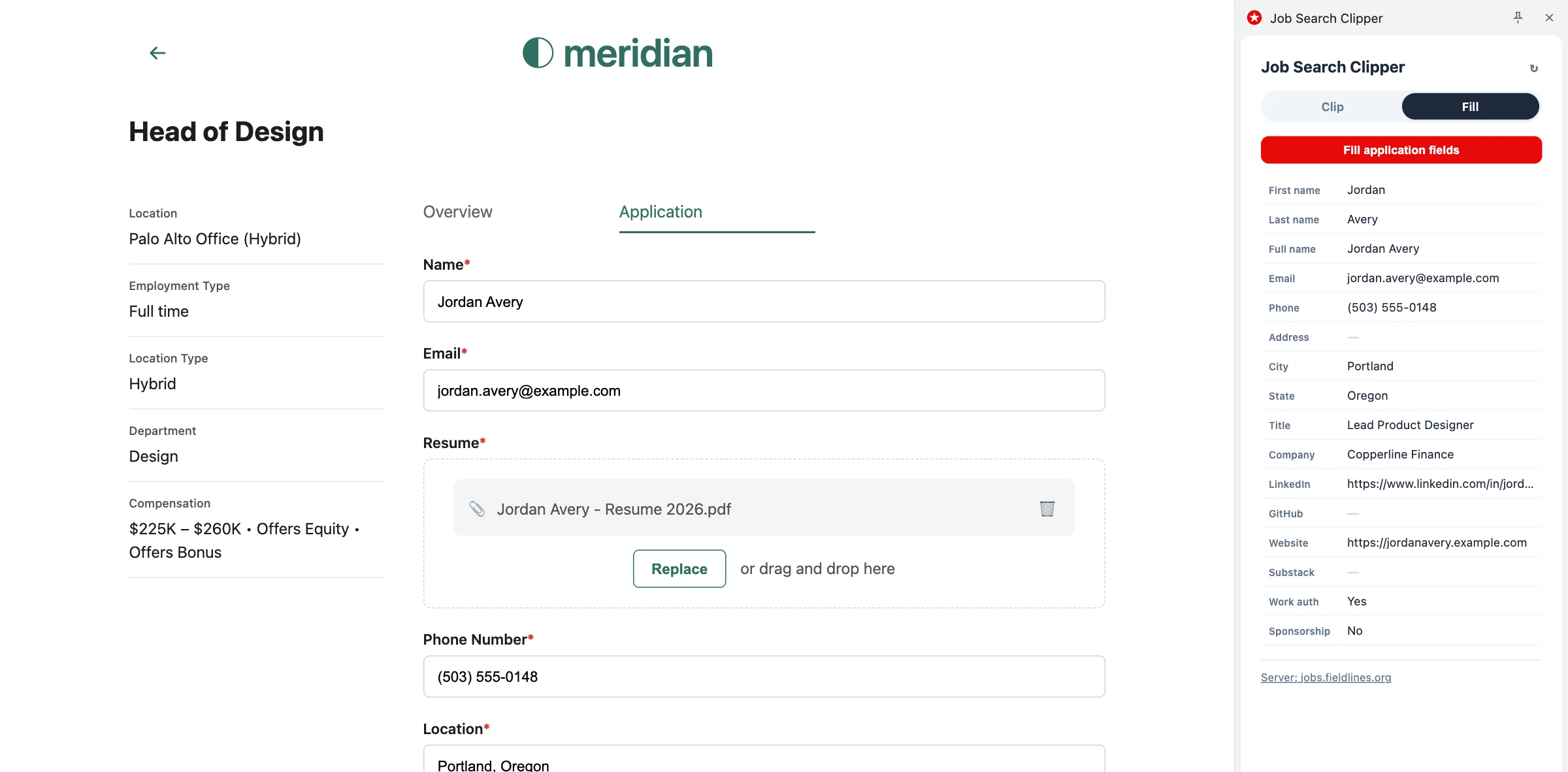
Save the details you use repeatedly and let the Chrome extension fill them into application forms. Keep them available to copy when a form needs a little more help.
- ✓Fill the recurring fields. Reuse your name, contact details, current title and company, LinkedIn, website, work authorization, and sponsorship information.
- ✓Copy what a form won't accept. Find every saved field in the side panel for quick copying.
- ✓Update your details in one place. Changes to your profile stay in sync between the web app and extension.
Use AI when it helps. Choose how it fits into your search.
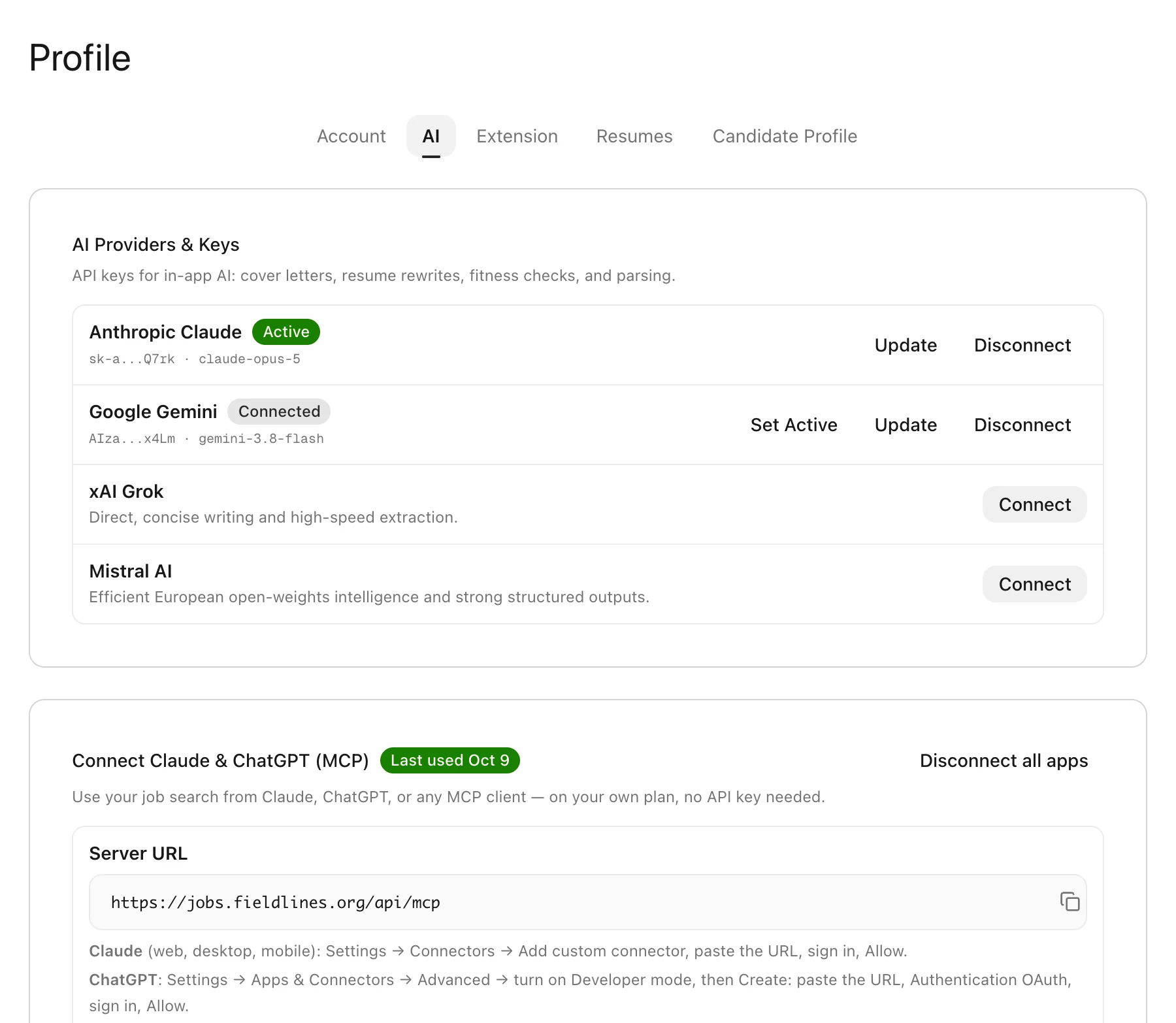
The built-in scoring works without AI. For drafting, rewriting, and deeper reviews, connect a supported provider with your own API key or work through the Claude connector.
Connect your preferred AI provider
Add an API key for Claude, Gemini, Grok, or Mistral and choose the provider you want to use. It can help draft cover letters, tailor resumes, review role fit, and extract details from postings.
Keep working from Claude
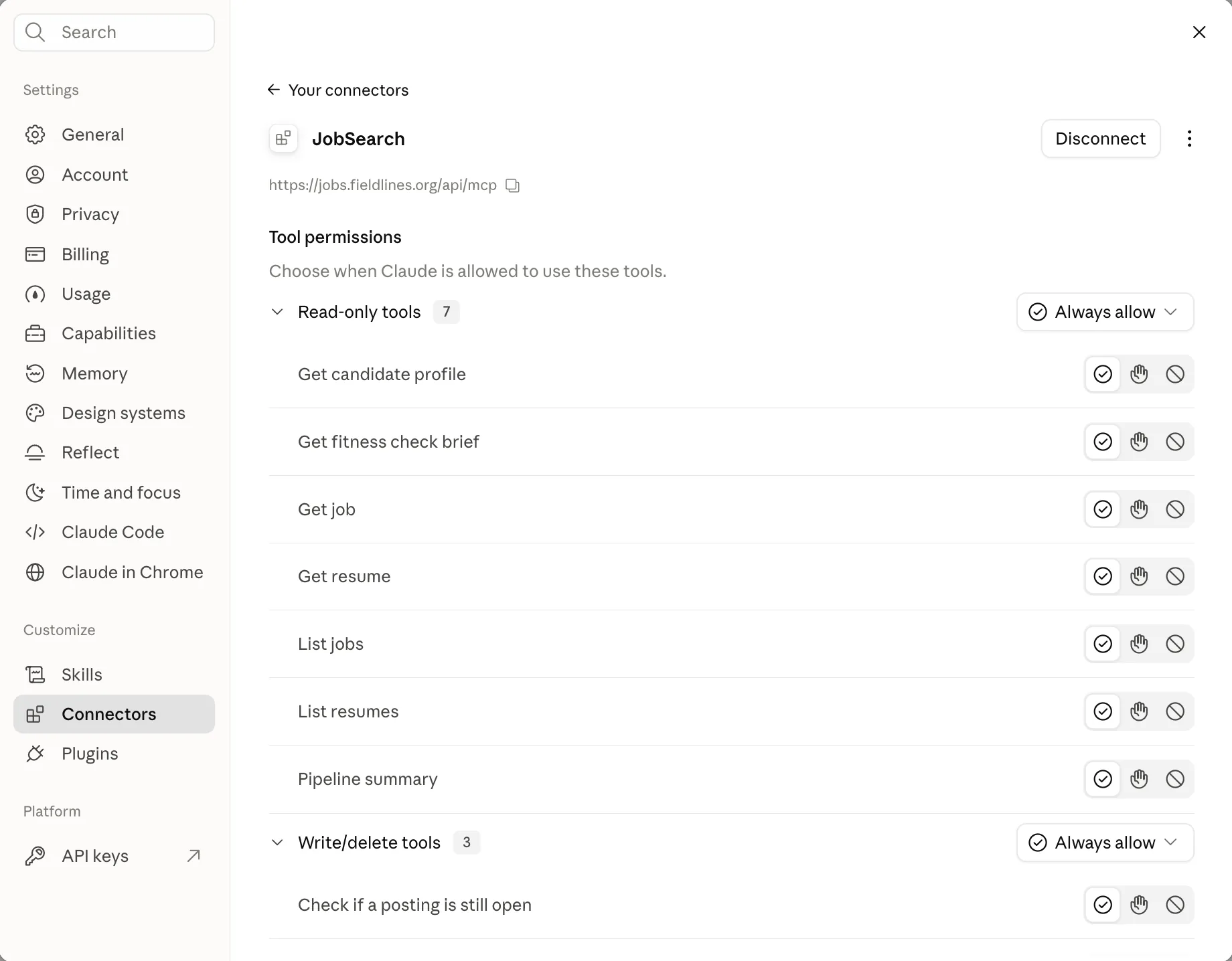
Connect Job Search to claude.ai, the Claude apps, or Claude Code. Ask Claude to review your pipeline, work with your resumes and profile, add or update jobs, and run resume-match and role-fit checks.
The connector uses your Claude plan, with no separate API key needed.
The small details that make it easier to keep going
As your search grows, keep the versions, notes, and loose ends easy to find.
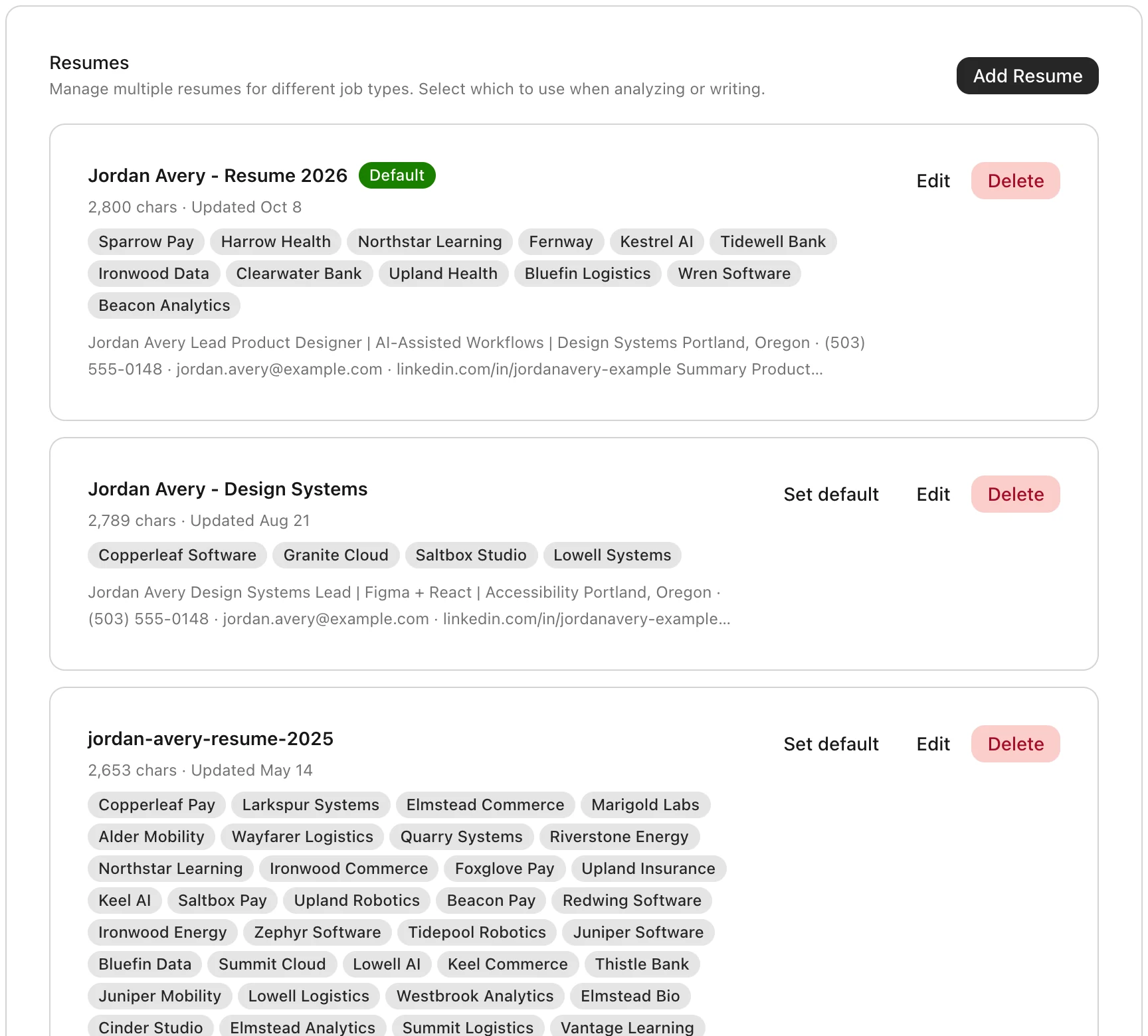
Keep different resumes for different kinds of work
Upload resumes as PDFs or text, choose a default, and see which companies received each version.
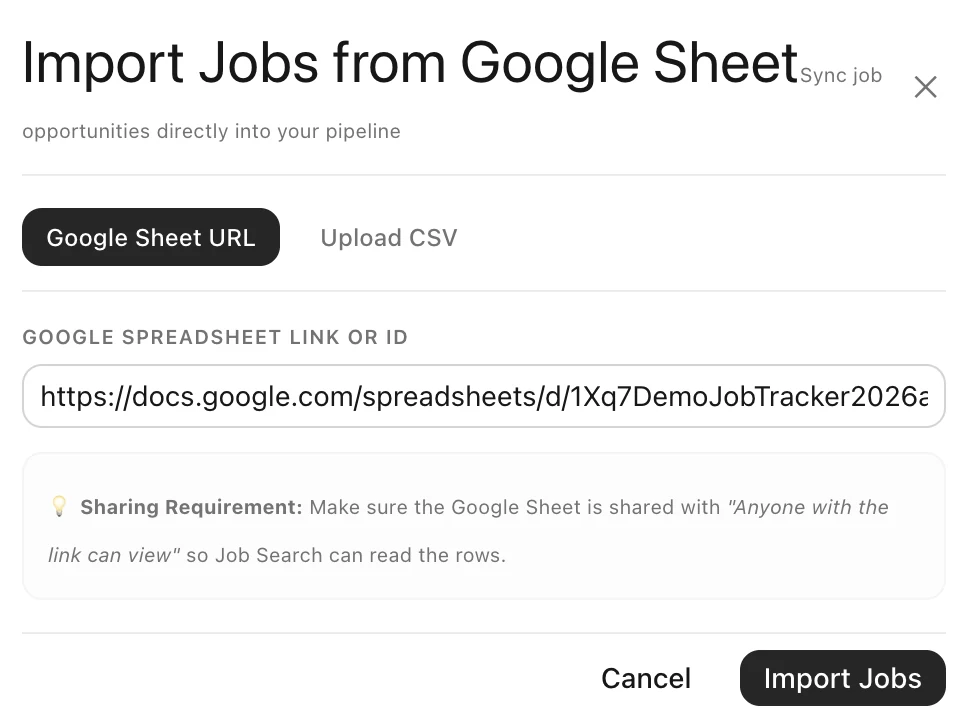
Bring your spreadsheet with you
Import jobs from a shared Google Sheet or CSV file and continue your search here.
Add a posting by URL or paste its description. Extract the company, title, location, and salary into the saved role.
Recheck your active postings in one step and mark the roles an employer has taken down.
Use thirteen statuses to track progress and outcomes, including accepted offers, rejections, withdrawals, declined opportunities, and closed postings.
A six-step walkthrough introduces saving jobs, building your profile, reviewing fit, tailoring applications, and tracking progress. Return to it whenever you need a refresher.
A few ways to make the search more manageable
A job search takes time and energy. These principles can help you decide where to spend both.
Set a realistic rhythm for finding roles, applying, and following up. Leave room for research and interview preparation, and adjust as your circumstances change.
Help the reader see why your experience matters for this role. Use relevant language from the posting where it accurately describes your work, and support it with specific examples.
Notice which applications lead to conversations and which questions come up in interviews. Use those experiences to refine your materials and get more comfortable explaining your work.
Talking with teams can change what you're looking for. Revisit your priorities as you learn, and put more of your attention toward work and working conditions that fit you.